
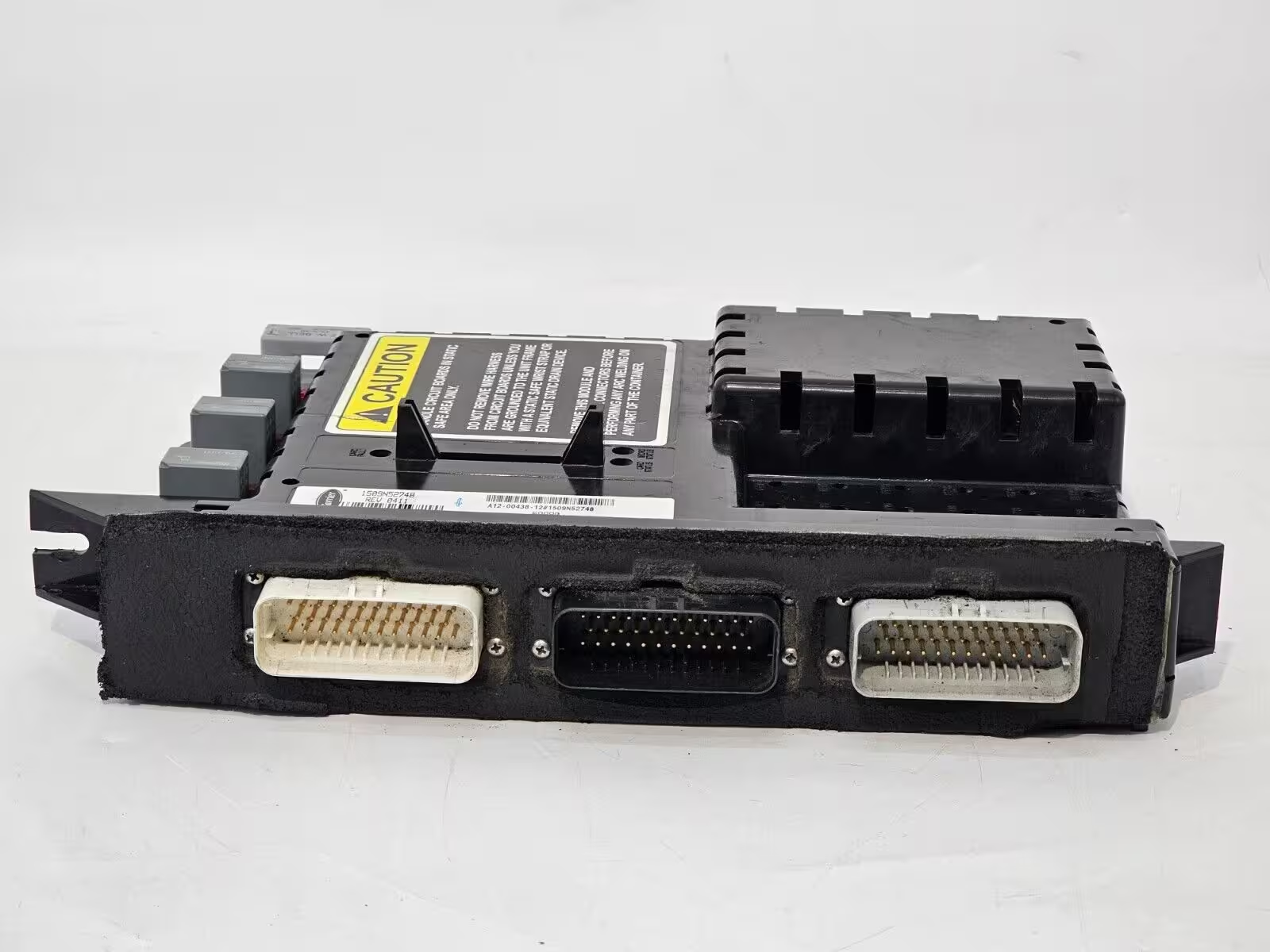
Carrier X2 1100/2100/2500 Controller Repair
Carrier X2 1100/2100/2500 Controller Repair
Expert repair for Carrier X2 reefer controllers (1100, 2100, 2500 — APX / Advance microprocessor). Before you ship a "dead" X2, check the main fuses and battery feed — the fuse numbers differ between APX and Advance units. We repair the module power and microprocessor sections at component level.
Module Shows No Power
No Display / No Communication
Alarm Codes That Keep Returning
- Module Power Repair
- Microprocessor Diagnostics
- Bench Simulator Testing
Power Supply and Fuse Checks
The Carrier X2 (1100 / 2100 / 2500, APX / Advance microprocessor) shares the same trap as the X4: a "dead" unit often has an open fuse or a battery problem rather than a failed board. Check the fuses below before pulling the controller. Important: X2 units with APX control and X2 units with the older Advance microprocessor use different fuse numbers.
| Fuse | What It Means | When It’s the Controller |
|---|---|---|
| F7 (80A) | Main Power — the high-current battery feed to the unit. | On APX units, an open F7 leaves the whole X2 dead. Check it and the battery T1/T2 connections before doing anything else. |
| F1 (5A) | Module Power — logic supply to the microprocessor. | On APX units, with F1 open the display is dark and the module shows no power. An open fuse by itself does not prove the board is healthy — replace it and re-test before drawing conclusions about the controller. |
| F5 (30A) / F10 (20A) | Power Enable Relay (F5) and Relay Power (F10). | If these are open the logic may wake but outputs never energize. When fuses are good and outputs still fail, the controller's relay-drive section is the likely fault. |
| Advance: F5 (80A) / F1 (7.5A) | Main fuse (F5) and microprocessor fuse (F1) on X2 units with the Advance microprocessor. | The Advance version uses a different fuse layout from the APX table above. Identify which control your X2 has before checking fuses. |
Symptom Troubleshooting Guide
| Symptom | Likely Causes | How We Repair It |
|---|---|---|
| Module shows no power / status LED off (check this first) | Open main or microprocessor fuse (APX: F7 80A / F1 5A; Advance: F5 80A / F1 7.5A), discharged battery, or loose battery T1 (+) / T2 (–) connections | Check the fuses for your control version and the battery feed before removing the controller — an open fuse makes an X2 look dead. If fuses and battery are good and the module stays unpowered, the board's power section is the likely fault and we repair it at component level |
| No display or no communication, with fuses and battery verified good | Module power-supply fault; communication transceiver damage; cracked solder joints | Board-level power and communication repair, verified on our bench simulator |
| Alarm codes persist after sensors and wiring are confirmed good | Analog input drift or driver-stage failure inside the controller | Component-level repair of the input/driver section and recalibration |
Frequently Asked Questions
Which fuse makes a Carrier X2 go dead?
On X2 units with APX control: the 80A Main Power fuse (F7) and the 5A Module Power fuse (F1). On X2 units with the Advance microprocessor: the 80A main fuse is F5 and the microprocessor fuse is F1 (7.5A). An open main fuse kills the whole unit; an open microprocessor fuse leaves the module unpowered and the display dark. Check the right fuses for your unit and the battery T1/T2 connections before shipping the controller.
Is the X2 controller the same as the X4?
No. The boards differ, and so do the fuse numbers between versions: X2 with APX and X4 units before Series 8 use F7 (80A) as the main fuse, while X2 units with the Advance microprocessor use F5 and X4 Series 8 units use F1. The pre-ship approach is the same: confirm power, the right fuses for your unit and the battery before condemning the controller.
My X2 shows no power even with a charged battery. Is it the board?
Check the main and microprocessor fuses for your control version first — an open logic or main fuse can cause "no power with a good battery." If both fuses and the T1/T2 connections are good and the module is still dark, then the controller's power section is the likely fault, and we repair it at component level with a 1-year warranty.
1-Year Warranty
Every Carrier X2 1100/2100/2500 Controller Repair ships back bench-tested and guaranteed fully functional on delivery, backed by a 1-year warranty on the repair we performed.
Start Your Repair Now- $150 Diagnostic — Fully Waived With Approved Repair
- 7–15 Business-Day Standard Turnaround
- Component-Level Repair (Save 60%)
- Miami-Based Facility